Everything in reach.
Buttons, sticks, D-pads, radial menus, and trackpads. Put each control where it feels right.
YOUR IPHONE. YOUR MAC CONTROLLER.
The controller you already carry.
Made for the way you play.
Public beta · Install build 12 on both devices
iOS 17+ · macOS 15+
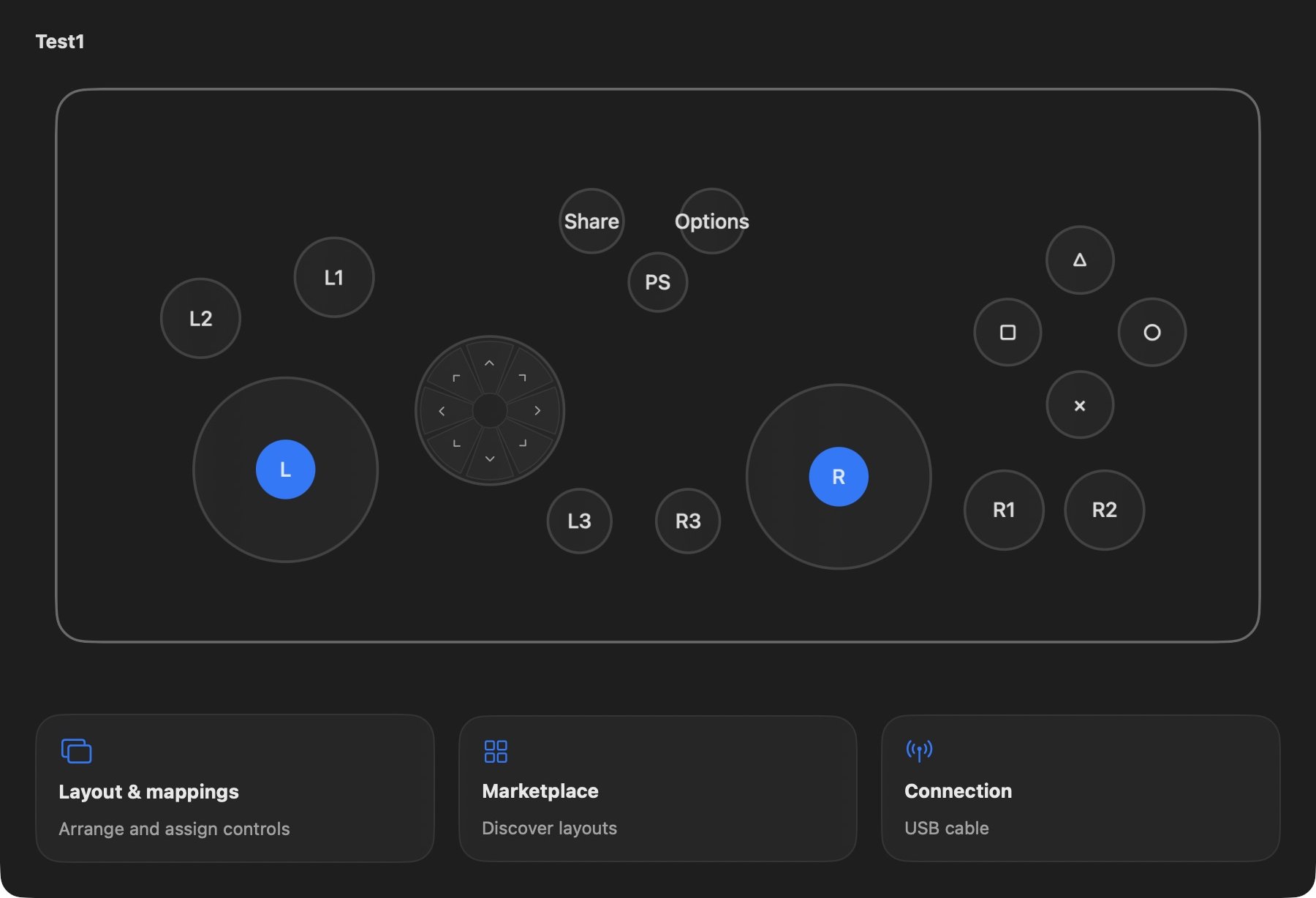
SMALL SCREEN. BIG POSSIBILITIES.
Turn your iPhone into a touch controller for your Mac. Familiar gamepad controls, keyboard shortcuts, or a trackpad. Arrange them your way, then get back to the good part.
BUILT AROUND YOU
Move it. Resize it. Make it yours.
Build and edit layouts on your Mac or iPhone, with changes synced between devices.
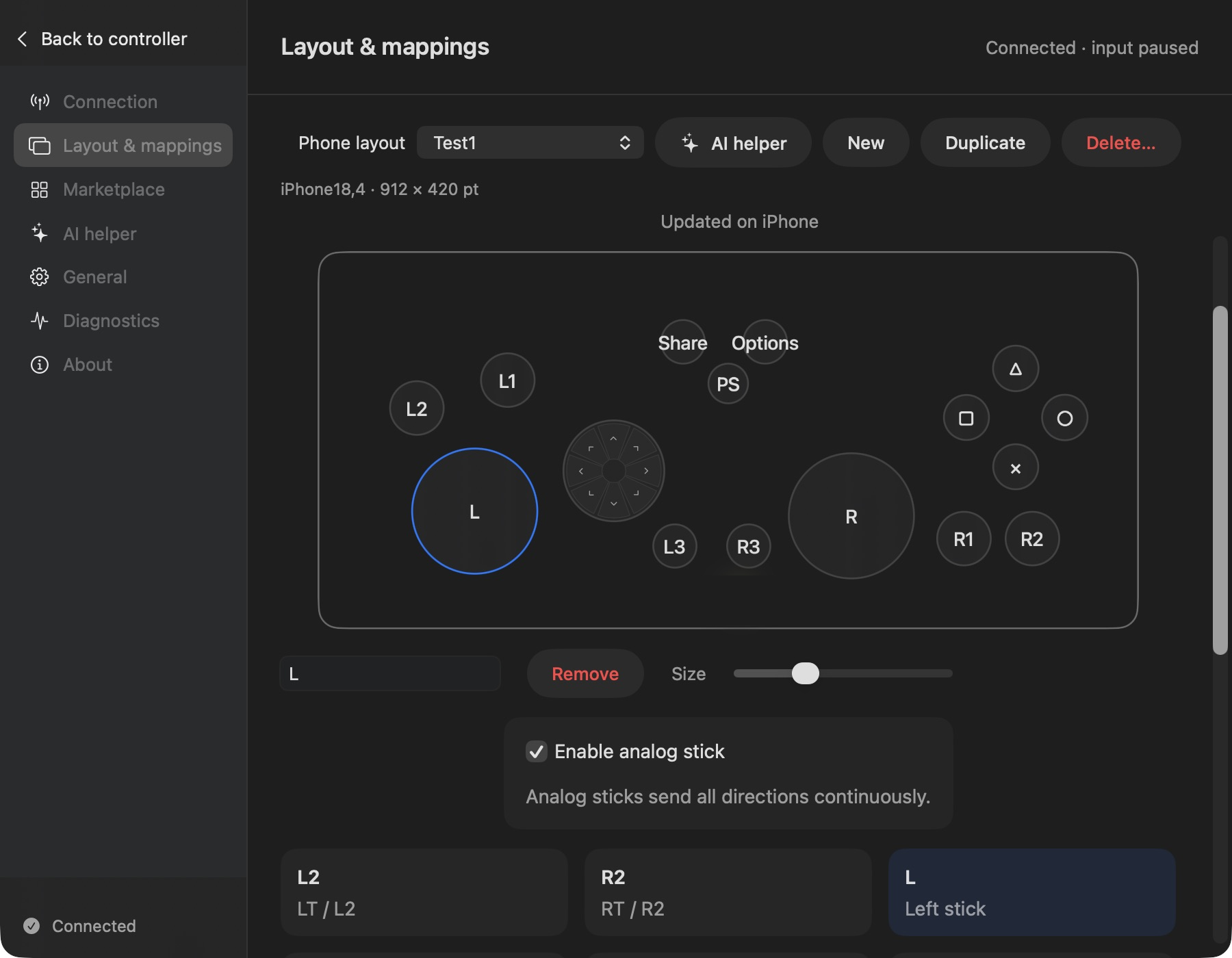
Buttons, sticks, D-pads, radial menus, and trackpads. Put each control where it feels right.
Save your favorites. Duplicate a layout to try something new, or export a copy to keep.
Fine-tune button haptics and choose floating or fixed sticks to match your style.
FAMILIAR CONTROLS. FRESH POSSIBILITIES.
Xbox or PlayStation emulation, with a touch layout you can make your own. Controller support and button prompts depend on your game and its settings.
FROM PHONE TO PLAY
Start with a USB data cable.
Or go wireless with Wi-Fi or Bluetooth.
Open Gamepad Air on your iPhone and Mac. Keep the phone app open while you play.
Plug in over USB, or pair wirelessly using the phone’s six-digit code.
Choose your controls and the Mac app to control. For keyboard and mouse input, enable Accessibility permission.

A WORK IN PLAY.
Currently in beta. Built for iPhone and Mac.
Made to become your own.
Install the iPhone beta through TestFlight and the signed, notarized Mac companion. Use matching build 12 on both devices. Core play needs no account.
iOS 17+ · macOS 15+ · Apple silicon and Intel Macs
Installation instructions and release notes
Upgrading from Beta 11? Keep your previous app and data backup: its older development layouts are not migrated.
No. Your games run on your Mac. Your iPhone supplies the controls.
Compatibility depends on the game and its input settings. Gamepad Air supports controller emulation and keyboard/mouse mappings, but universal game support is not guaranteed.
No account is needed for local play or your personal layouts.
The beta includes local controls, layout editing, and USB, Wi-Fi, and Bluetooth connections. Marketplace browsing, downloads, and submissions are live. Browsing needs no account; publishing uses Sign in with Apple on the Mac. AI layout creation is currently disabled. See the release notes for current limitations.